
SASSA SRD Status Check: R350 vs R370 Explained
Key Takeaways
Key Summary
| SRD R350 | SRD R370 | |
|---|---|---|
| Same grant? | ✅ Yes | ✅ Yes |
| Monthly amount | R350 | R370 |
| Active period | May 2020 – March 2024 | April 2024 – present (2026) |
| Eligibility | Unemployed, no income, aged 18–60 | Unchanged |
| Income threshold | Under R624/month | Unchanged |
| Official portal | srd.sassa.gov.za | srd.sassa.gov.za |
| Do I need to reapply? | No | SASSA checks eligibility monthly automatically |
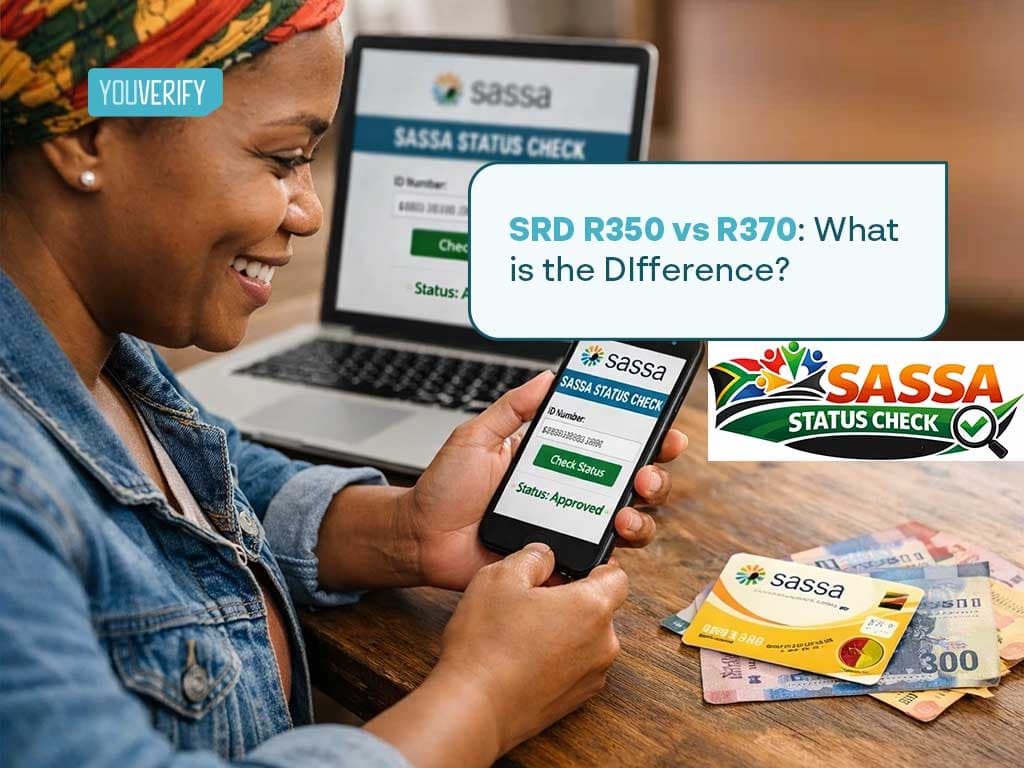
There is no real difference between the SRD R350 and the SRD R370, they are the same grant. The name changed when the payment amount was increased from R350 to R370 in April 2024. If you received the R350 grant before, you are now receiving R370. Nothing else changed.
What Is the SRD Grant?
The Social Relief of Distress (SRD) grant is a monthly financial payment managed by the South African Social Security Agency (SASSA). It was launched in May 2020 to support unemployed South Africans who lost income during the COVID-19 pandemic.
The grant targets adults aged 18 to 60 who:
- Are unemployed and have no source of income
- Do not receive any other social grant (Child Support, Disability, Old Age, etc.)
- Do not receive UIF or NSFAS benefits
- Earn less than R624 per month
- Are South African citizens, permanent residents, refugees, or asylum seekers
As of 2026, over 9 million South Africans depend on this grant monthly.
SRD R350 vs R370: Are They the Same Grant?
Yes. The R350 and R370 are the same Social Relief of Distress grant. The only change was the monthly payment amount, which increased by R20, from R350 to R370, starting April 2024.
Nothing else changed:
- Same eligibility criteria
- Same application portal (srd.sassa.gov.za)
- Same income threshold (under R624/month)
- Same age range (18–60)
- Same disqualification rules (no other grant, UIF, or NSFAS)
Many South Africans still call it the "R350 grant" out of habit, and you will often see both names used online. They refer to the same thing.
Do I Need to Reapply If I Was Getting R350?
No. If you were already approved for the SRD R350 grant, SASSA automatically moved your payment to R370 from April 2024. You did not need to reapply.
From April 2024 onward, SASSA also stopped requiring beneficiaries to reconfirm eligibility every three months. SASSA now reassesses your eligibility automatically each month using data from Home Affairs, SARS, and other government databases.
You only need to act if:
- Your bank details have changed
- Your phone number has changed
- Your application was declined and you want to appeal
How to Change Your Phone Number or Banking Details for SRD R370
If your phone number or bank account has changed since you applied, update your details on the SASSA portal immediately. Without this update, your grant payment cannot reach you.
To update your phone number for SRD R370: Visit srd.sassa.gov.za, click "Change Registered Details," and follow the prompts to submit your new number. SASSA will send a verification OTP to your new number to confirm the change.
To update your banking details for SRD R370:
Visit the same portal, select "Update Banking Details," and enter your new account information. SASSA verifies new banking details before processing the next payment, which may delay one payment cycle.
If you cannot update your details online, visit your nearest SASSA office with your South African ID and your new bank card or account statement as proof.
How to Apply for the SASSA SRD R370 Grant Online
If you have never applied for the SRD grant before, here is how to apply in 2026:
- Step 1: Visit srd.sassa.gov.za on your phone or computer.
- Step 2: Click "Apply for SRD R370" and enter your 13-digit South African ID number and your active cellphone number.
- Step 3: SASSA will send a one-time PIN (OTP) to your phone. Enter the OTP to verify your number.
- Step 4: Complete the application form. You will be asked about your employment status, income, whether you receive any other SASSA grant, and your bank account details.
- Step 5: Submit the form. SASSA will send you an SMS confirming your application reference number.
Who qualifies to apply:
- South African citizens, permanent residents, refugees, or asylum seekers
- Aged 18 to 60
- Unemployed with no source of income
- Not receiving any other SASSA grant (Child Support, Disability, Old Age)
- Not receiving UIF or NSFAS funding
- Earning less than R624 per month
How to Check Your SASSA SRD R370 Status (Step-by-Step)
Whether you are checking your SRD R350 status or SRD R370 status, the process is identical. Here are all the official ways to check:
1. Online: Official SASSA Portal (Recommended)
- Go to https://services.sassa.gov.za/portal/r/sassa/sassa/home
- Enter your 13-digit South African ID number
- Enter the cellphone number you used to apply
- Click Submit
- Your status will display (Approved, Pending, Declined, or Payment date shown)
⚠️ Safety warning: Only use the official portal at srd.sassa.gov.za. Never enter your ID on WhatsApp links or unofficial websites. SASSA will never ask you to pay a fee to check your status or receive your grant.
2. WhatsApp
Send a message to SASSA on 082 046 8553 and follow the prompts to check your status.
3. SMS
Send the text STATUS [Your ID Number] to 32555 from your registered phone number.
4. Call Centre
Call 0800 60 10 11 (toll-free). Have your ID number and registered phone number ready.
5. Moya App (Data-Free)
Download the Moya App from Google Play. Open the app, go to Services, and select SASSA SRD. Enter your ID and phone number to check your status, no data required.
6. Visit a SASSA Office
Bring your South African ID document and visit your nearest SASSA office during working hours. Staff will check your status for you.
What Does My SASSA SRD Status Mean?
Once you complete your SRD R350 status check or R370 status check, you will see one of these outcomes. Here is what each one means and what to do next.
1. Approved SASSA SRD Status:
Your grant is approved for this month. Wait for your payment on the scheduled date. Check the portal for your exact payment date if it is not already showing.
2. Pending SASSA SRD Status:
SASSA is still verifying your details. No action is needed. Check again in a few days as the status updates automatically once verification is complete.
3. Declined SASSA SRD Status:
You did not qualify this month. Check the reason given on the portal and submit an appeal within 90 days if you believe the decision is incorrect.
4. Application Complete SASSA SRD Status:
Your application was received and is in the system. Wait for SASSA to begin the verification process. No action is needed at this stage.
5. Approved on Appeal SASSA SRD Status::
Your appeal was successful. Payment will be made. Check the portal for your payment date.
6. Denied on Appeal SASSA SRD Status:
Your appeal was unsuccessful. You may approach the High Court for a formal review if you believe the outcome is wrong.
7. Period Pending SASSA SRD Status:
SASSA is still checking your income for a specific month in the current cycle. Check again in 2 to 3 days. This status updates automatically once the income and banking checks are complete.
8. Period Approved SASSA SRD Status:
Your payment for that specific month is confirmed. Check the portal for your exact payment date and ensure your banking details are up to date.
9. Period Declined SASSA SRD Status:
Your grant payment was rejected for that specific month due to income or verification issues. Submit an appeal if you believe the decision is incorrect. You can appeal through the official SASSA portal.
10. Referred SASSA SRD Status SASSA SRD Status::
Your application needs further review. SASSA may need to confirm your banking details, employment records, or income. No immediate action is needed. Check again after a few days for an updated result.
11. Identity Verification Failed SASSA SRD Status:
SASSA could not match your ID number with official government records. Return to the SRD portal and resubmit your identity verification details. If the problem continues after resubmitting, visit your nearest SASSA office with your original ID document.
12. Self Exclusion Response Found SASSA SRD Status:
Your application indicates that you do not need financial assistance or that your income is above the qualifying limit. If you believe this is incorrect, review your application details carefully and contact SASSA on 0800 60 10 11 to clarify.
If your status shows Approved but no payment has arrived, first confirm your banking details are correct on the portal. If details are accurate, allow up to 5 business days. If payment still has not arrived after that, call 0800 60 10 11.
Why Does My SRD Status Show Approved But No Payment Date?
If your status shows Approved but no payment date appears, there are three common reasons:
1. Banking details not verified yet. SASSA verifies each bank account before assigning a payment date. If your account is new or recently updated, verification can take up to 7 working days.
2. Payment method not selected. If you have not selected a payment method on the portal, SASSA cannot assign a payment date. Log in to srd.sassa.gov.za and confirm your preferred payment method.
3. Data mismatch between SASSA records and your bank. This happens when your name on your ID does not match your bank account name exactly. Visit your bank branch and your nearest SASSA office to resolve this.
If none of these apply and your status has shown Approved without a payment date for more than 10 working days, call 0800 60 10 11 for assistance.
How to Check If Your SRD R350/R370 Application Is Approved
To confirm approval, follow these steps:
- Visit https://mystatus.co.za/
- Enter your 13-digit ID number and your registered phone number
- Click Submit
- If the result shows "Approved", your application has been approved for the current month
- Note the payment date shown, that is when your R370 will be paid
SASSA also sends an SMS to your registered phone number once your application is approved. The SMS will include your payment date and collection method.
Our guide on SRD Status Check Payment Approved: What it means, is a detailed step-by-step guide, on what the “Payment Approved” result means in an SRD status check, how to do a SASSA status check online, why your SRD status is pending, how to fix approved but no payment, and what to do when your payment has been approved.
SRD R370 Payment Dates August 2026
SASSA processes SRD R370 payments on a rolling schedule. Not everyone receives payment on the same day.
August 2026 SASSA payment dates:
- Old Age Persons Grant: Tuesday 4 August 2026
- Disability Grant: Wednesday 5 August 2026
- Children's Support Grant: Thursday 6 August 2026
- SRD R370 Grant: Rolling from approximately 24 to 31 August 2026
Your exact payment date depends on your payment method and bank details. Always check your personal payment date on the official portal at srd.sassa.gov.za rather than relying on general dates.
Payment methods available in 2026:
- Direct bank deposit (ABSA, Standard Bank, Nedbank, FNB, Capitec, Postbank)
- CashSend
- Post Office collection
- Pick n Pay or Boxer store
If you have been approved but your payment has not arrived on the expected date, first confirm your banking details are correct on the portal. If the details are accurate, allow up to 5 working days. If payment still has not arrived, call 0800 60 10 11.
How to Reapply for the SRD R370 Grant
If your SRD grant was cancelled, your previous cycle expired, or you missed the last application period, you must reapply through the official portal. SASSA does not automatically renew expired grant cycles.
Steps to reapply:
- Visit srd.sassa.gov.za and select the reapplication option
- Enter your 13-digit South African ID number and the cellphone number linked to your application
- Confirm your personal details and update your banking details if they have changed
- Submit the application and note your reference number
After submitting, track your application status through the portal. A reapplication goes through the same verification process as a new application, SASSA will conduct a fresh means test for the new cycle.
Common SRD R370 Problems and How to Fix Them
1. Approved but No Payment Date
Your banking details may not be verified yet. Log in to srd.sassa.gov.za and confirm your payment method and bank account details. Allow up to 7 working days for verification to complete.
2. Status Stuck on Pending for More Than Two Weeks
SASSA may be completing an income check through UIF, SARS, or Home Affairs. No action is needed unless the status has not changed after 14 days. If it has been longer than 14 days, call 0800 60 10 11.
3. Identity Verification Failed
Your ID number or name does not match official government records. Resubmit your verification details on the portal. If the problem continues, visit a SASSA office with your original ID document.
4. Approved but Payment Not Received
First confirm your banking details are correct on the portal. If correct, allow 5 working days after your payment date. If still not received, call 0800 60 10 11 or visit your nearest SASSA office.
5. Registered Phone Number Is Lost or Changed
Visit srd.sassa.gov.za, select "Change Registered Details," and follow the prompts to update your phone number. SASSA will send a verification OTP to your new number to confirm the change.
Why Was the Grant Increased from R350 to R370?
The R20 increase was introduced to help beneficiaries cope with rising food costs and inflation. President Cyril Ramaphosa confirmed R35.2 billion was allocated to extend and increase the SRD grant. Advocacy groups continue to push for a higher amount closer to the food poverty line of approximately R760, but as of 2026 the grant remains at R370 per month.
Official SASSA Contact Details
| Channel | Details |
|---|---|
| Official status portal | srd.sassa.gov.za/sc19/status |
| Apply or update details | srd.sassa.gov.za |
| Toll-free helpline | 0800 60 10 11 |
| 082 046 8553 | |
| SMS status check | Send STATUS [ID number] to 32555 |
| Report fraud | 0800 60 10 11 |
⚠️ Fraud alert: SASSA will never ask you to pay a fee to receive your grant, and will never ask for your PIN or banking password. Report suspicious activity immediately on 0800 60 10 11.
To learn how to resolve all your SASSA Status errors, our article on ‘SASSA SRD Status Check Error: What They Mean and How to Fix Them’ explains the steps to take.
About the Author:
Temitope Lawal is a RegTech and compliance specialist at Youverify. She has written for fintech companies and financial institutions across Nigeria and international markets, with a research focus on AML compliance, fraud prevention, and financial crime regulation. Her work covers regulatory developments from the FCA, NCA and FATF, and is informed by ongoing engagement with primary compliance sources and industry research.
Frequently Asked Questions
FICA Compliance for Estate Agents: What are the FICA Requirements for Estate Agents in South Africa?
What is My National Identification Number in South Africa?