How to Get a Virtual NIN (vNIN) in Nigeria via NIMC App and USSD Code
ByEmmanuel Agwu edited by (Favour Praise)
•5mins Read
Key Takeaways
A virtual NIN (vNIN) is a tokenized version of your NIN used for identity verification without exposing your actual NIN.
You can generate a vNIN through the NIMC Mobile ID app or USSD, depending on the verification service you are using.
You need your NIN and the Enterprise ShortID or agent code of the organization requesting your verification.
A vNIN is temporary and is designed for use by the specific organization for which it was generated.
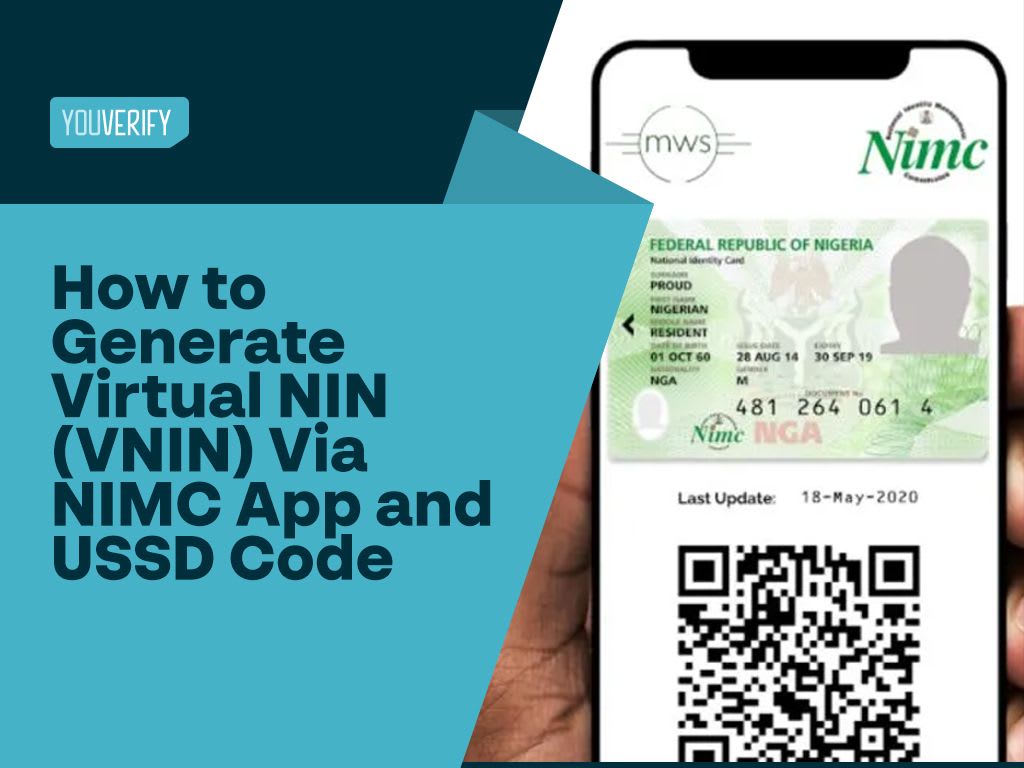
A Virtual NIN (vNIN) is a tokenized version of your National Identification Number that you can use for identity verification without sharing your actual 11-digit NIN. You can generate a virtual NIN through the NIMC Mobile ID app or by using the USSD option provided for vNIN generation.
This guide explains what a vNIN is, how it works, what you need to generate one, and how to get your virtual NIN using the NIMC app or USSD.
What is a Virtual NIN (vNIN)?
A Virtual NIN (vNIN) is a tokenized version of your National Identification Number NINthat can be used to verify your identity without exposing your actual 11-digit NIN. The token is generated for a specific verification purpose and helps limit the exposure of your underlying identity information.
A vNIN is made up of alphanumeric characters and is temporary. Current NIN tokenization guidance describes the token as expiring 72 hours after generation, while NIBSS explains that the vNIN is generated for the institution or enterprise to which it will be presented.
vNIN can be used when you need to provide your NIN for identity verification by a third party who needs to confirm your identity.
Why Do You Need a Virtual NIN?
A virtual NIN helps you prove your identity without repeatedly sharing your actual NIN with third parties. Instead of exposing your permanent 11-digit NIN, you provide a temporary token generated for the verification request.
This tokenized approach is designed to improve privacy by limiting how third parties access and retain your underlying NIN information. NIMC's tokenization framework was introduced to provide a more privacy-conscious way to present NIN information during identity verification.
Some other reasons why:
- Privacy: Your actual NIN is not directly exposed during the verification.
- Temporary use: The token expires after its validity period.
- Enterprise-specific verification: The token is generated for the organization requesting the verification.
- Reduced data exposure: Third parties can verify the identity without receiving the underlying NIN as the verification identifier.
What Do I Need to Generate a Virtual NIN?
Before generating a virtual NIN, make sure you have your 11-digit NIN and the Enterprise ShortID, agent code, or QR code provided by the organization requesting your verification. If you are using USSD, you should also use the phone number associated with your NIN.
You typically need:
Your 11-digit NIN
The requesting organization's Enterprise ShortID or agent code
A phone number linked to your NIN for the USSD process
The NIMC Mobile ID app if you prefer to generate your vNIN through the app
NIBSS's current user guide specifically instructs users to select the institution requesting the vNIN through an approved enterprise search, Enterprise ShortID, or QR code.
What Is the USSD Code to Generate a Virtual NIN?
If you prefer to generate your vNIN without using the NIMC Mobile ID app, you can use the USSD option available for virtual NIN generation.
NIBSS's current user guidance confirms that the USSD process can be initiated by dialing 3463# from the mobile number registered with your NIN. The exact enterprise or agent code may then be required depending on the organization requesting your verification.
Follow the process below to know the code to generate your virtual NIN:
How to Generate a Virtual NIN on the NIMC Mobile ID App
Follow the steps below to generate your VNIN on the NIMC mobile app:
Download the setup and launch the NIMC mobile app on your Android or iOS device.
Login by supplying your PIN on the lock screen.
In the home menu, select the “GET VIRTUAL NIN” option.
Read through the “Enhance Data Privacy Agreement”.
Click on the button with a “+” sign at the bottom right corner of the screen to kick off the VNIN generation process.
Tap on either the “Scan Enterprise’s QR Code” or “Type Enterprise’s shortID”. You can simply tap the “Type Enterprise’s ID” and supply the Youverify agent ID or agent code.
The app generates a virtual NIN for you specifically with the enterprise alone.
Forward this code to the enterprise for verification.
Lastly, you’ll receive a notification once the verification is completed by the enterprise or agent.
Feature
NIN
Virtual NIN (vNIN)
Format
11-digit number
Alphanumeric token
Purpose
Permanent identity identifier
Identity verification
Validity
Permanent
Temporary
Privacy
Exposes the underlying NIN when shared
Designed to reduce direct NIN exposure
Generation
Issued by NIMC
Generated for verification
Organization-specific
No
Yes
Can be regenerated
N/A
Yes, when a new verification token is required
What are the Benefits of Virtual NIN (vNIN)?
Some of the benefits of Virtual NIN include:
Better privacy: You can use a tokenized representation of your NIN instead of directly sharing the underlying identifier.
Reduced data exposure: The verification process can use the vNIN without requiring the verifying party to retain your actual NIN as the verification identifier.
Temporary validity: The token expires after its validity period.
Enterprise-specific use: A vNIN is generated for the organization requesting the verification.
Convenient verification: You can generate the token through the NIMC Mobile ID app or the available USSD process.
What If My Virtual NIN Does Not Work?
If your vNIN cannot be verified, first check that you generated it for the correct organization. A vNIN is tied to the enterprise requesting the verification, so a token generated for one organization may not work for another.
You should also check whether the token has expired. If it is no longer valid, generate a new vNIN and provide the new token to the requesting organization. If you are using USSD, make sure you are using the mobile number associated with your NIN and that you entered the correct NIN and enterprise code.
Bottom Line
A Virtual NIN gives Nigerians a more privacy-conscious way to complete identity verification without directly sharing their permanent NIN. You can generate a vNIN through the NIMC Mobile ID app or the available USSD process using the details provided by the organization requesting your verification.
Because the token is temporary and organization-specific, always generate it for the correct enterprise and use it within its validity period.
See how 100+ leading companies useYouverify for VNIN verification, identity verification of customers for compliance and real-time risk detection.book a demo today.
FAQs
Frequently Asked Questions
You can generate or access your Digital NIN through the official NIMC Mobile ID app. After setting up the app and logging in, follow the available options to access your Digital NIN. The Digital NIN is different from a Virtual NIN (vNIN), which is a tokenized version of your NIN created specifically for identity verification.
The best option for NIN verification is an authorized identity verification platform that connects to NIMC's verification infrastructure. For businesses, Youverify provides NIN verification and identity verification services that can be integrated into customer onboarding and compliance workflows.
Open the NIMC Mobile ID app and select Get Virtual NIN. Follow the prompts to identify the organization requesting your verification, either by searching for the enterprise, entering its Enterprise ShortID, or scanning its QR code. The app will then generate a vNIN for that specific organization, which you can provide for verification.
The USSD format for generating a Virtual NIN is *346*3*Your NIN*Agent Code#. Replace "Your NIN" with your 11-digit NIN and "Agent Code" with the code provided by the organization requesting your verification.
No. A Virtual NIN is generated for the specific organization requesting your identity verification. If another company needs to verify your identity, you should generate a new vNIN for that organization.
An Enterprise Code, also referred to as an Enterprise ShortID or agent code, identifies the organization requesting your Virtual NIN. You need the organization's code when generating a vNIN through the relevant USSD or NIMC Mobile ID process.