
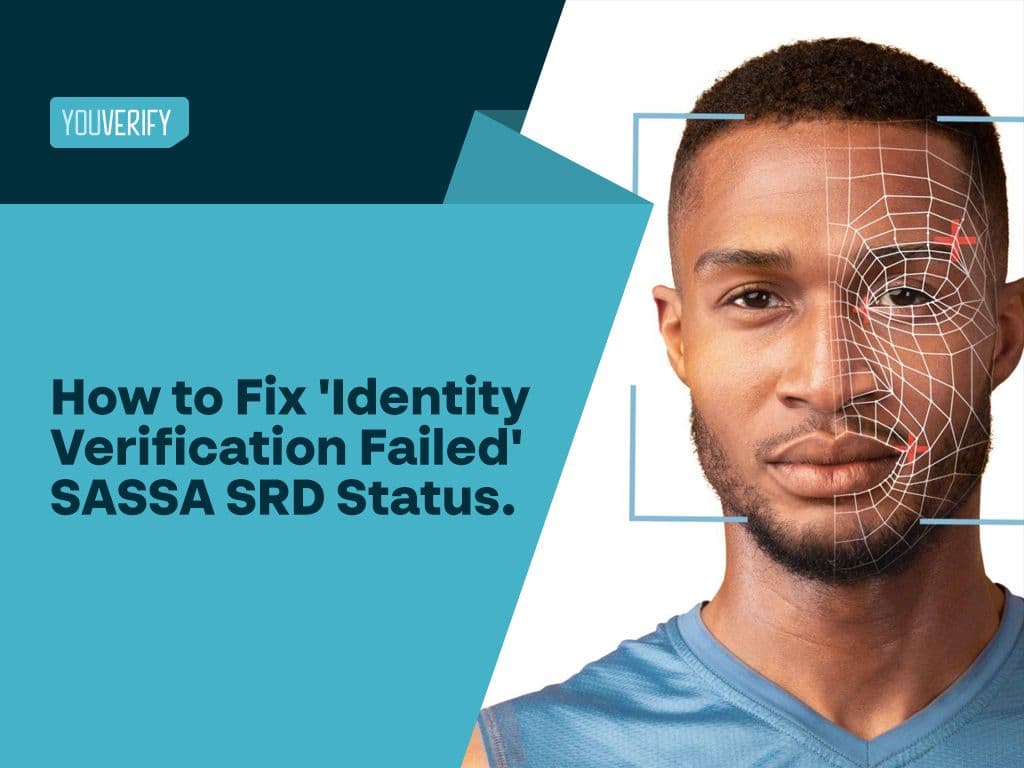
SRD Identity Verification Link: How to Get It and Fix 'Identity Verification Failed' Status (A Guide)
Key Takeaways
1. Identity Verification Failed” on SASSA SRD means your ID, name, phone number, or bank details do not match records from the Department of Home Affairs or your bank.
2. You cannot receive SRD R350 payments until your identity is successfully verified.
3. Common causes of Id Verification verification failure include:
- Name or ID mismatch
- Bank account not in your name
- Incorrect or unlinked phone number
- Recently updated or outdated Home Affairs records
- Duplicate applications
4. How to fix SASSA identity verification failure:
- Update your personal and banking details on the official SRD website
- Ensure your bank account matches your registered name
- Use the correct phone number linked to your ID
- Complete biometric (facial recognition) verification
- Visit a SASSA office if online verification fails
5. Always check your SRD status first via the official SASSA SRD portal before taking action.
6. If rejected, submit an appeal within 30 days and repeat the appeal monthly if the issue persists.
7. You can re-initiate identity verification using the official SASSA ID verification link if mismatches continue.
8. SASSA uses three main verification methods:
- Biometric verification
- Facial recognition
- Digital ID document verification
9. SASSA Verification timelines vary:
Typically 48 hours to 7 working days
Can take longer depending on system load and data accuracy
10. Main reason repeated failures occur:
Data inconsistency between your submitted details and Home Affairs records
11. Key takeaway:
Ensure all your details (ID, phone number, and bank account) are accurate, consistent, and up to date to pass SASSA identity verification successfully.
The SASSA SRD identity verification link is sent to you via SMS from SASSA. If you have not received it, you can request it directly by contacting SASSA at 0800 60 10 11 or visiting srd.sassa.gov.za.
If your SASSA SRD status check shows “Identity Verification Failed,” it means your ID number, name, or bank details could not be matched with the Department of Home Affairs or your bank.
Here’s exactly how to fix the issue, appeal successfully, and pass SASSA identity verification in 2026.
Many applicants also search for the official SRD identity verification link itself, whether to complete verification for the first time or request a new one after a failed attempt. This guide covers both how to get your verification link and how to fix a failed status.
Essentially, many individuals in South Africa ask several questions, like, what does an ‘identity verification failed’ SASSA status mean? How do I perform an SRD SASSA status check online, and how can I pass my SASSA r350 identity verification? among others.
Also, many users who encounter “Identity Verification Failed” also struggle with accessing the correct SRD identity verification link or navigating the SASSA status check page. Since SASSA now relies heavily on digital verification, applicants often use the SASSA ID verification link online to confirm their details before reapplying for the SASSA SRD grant. When these checks fail, individuals may need to request identity verification for SASSA R350 again to ensure their identity aligns with Home Affairs records.
Identity verification has become a big deal today as it helps to prevent cyber fraud. This article answers all your questions on identity verification for SASSA.
What People Also Ask About Identity Verification Failed Sassa and their answers
1. Why does SASSA say identity verification failed?
Your sassa id verification may fail because you used an incorrect address or your address cannot be verified. It may also be because of an expired drivers license.
Also, SASSA usually shows this status when your ID number, name, phone number, or banking details do not match the records used in the SRD verification process. The official portal now directs applicants to e-KYC reverification and update flows when verification does not pass.
2. How do I fix identity verification failed on SASSA?
To fix identity verification failed sassa, you must:
Step 1: Update your details on the official SRD website
Step 2: Ensure that your bank account used for payment carries your name. If you changed banks recently, update it on the website.
Step 3: Ensure your phone number is linked to your ID
Step 4: Use a smart phone with a good camera to complete your facial recognition/ biometrics.
Step 5: If all these methods fail, visit the sassa office for manual verification.
Step 6: Contact or email sassa for help at grantenquiries@sassa.gov.za
3. How long does SASSA identity verification take in 2026?
The official portal does not give one fixed turnaround time. Processing depends on whether your details match the relevant records and whether you need reverification, an appeal, or an update to your application details.
4. Can I still get paid if identity verification fails?
Usually no, until the issue is resolved. If your verification fails, you need to correct the mismatch, complete reverification, or lodge an appeal through the official SASSA process
How to Get Your SRD Identity Verification Link
If you haven't yet received your SRD identity verification link or need to request a new one, here's how to get it:
Step 1: Log in to the official SASSA SRD portal at srd.sassa.gov.za using your ID number and registered phone number.
Step 2: Check your SRD status. If your application requires identity verification, the system will prompt you to begin the process.
Step 3: SASSA will send the verification link via SMS to the mobile number linked to your application. If you don't receive it immediately, allow some time before requesting again.
Step 4: Click the link as soon as you receive it and follow the prompts to complete biometric or facial recognition verification.
Step 5: If the link expires or you don't receive one at all, return to the SRD portal and select the option to resend or regenerate your verification link.
Read also: The Guide To Identity Verification For Small Businesses
Why haven't I received my SASSA verification SMS?"
Many beneficiaries request the identity verification link but never receive the SMS. Here are the most common reasons and what to do:
The Department of Home Affairs system is temporarily down. SASSA relies on the Department of Home Affairs to run facial recognition. When Home Affairs is unavailable, the SMS link cannot be sent. If this happens, wait 24–48 hours and request the link again through the SRD portal.
You have an old green ID book. Beneficiaries with the old green ID book have a significantly higher chance of not receiving or failing the verification link. This is because the photo quality in older green ID books is lower than in Smart ID cards. SASSA recommends upgrading to a Smart ID card at your nearest Department of Home Affairs office.
Your phone number is not correctly linked. The SMS is sent to the mobile number registered on your SRD application. If you changed your number after applying, the link will go to your old number. Update your phone number at srd.sassa.gov.za before requesting the link again.
You have been waiting more than a week. If it has been more than 7 days since you requested the link and received nothing, visit your nearest SASSA office in person. Since 2024, SASSA offices have webcam facilities specifically for beneficiaries without smartphones or those struggling with the digital process.
READ ALSO: How to Reduce Customer Onboarding Drop-Off Using Identity Verification
What does ‘Identity Verification Failed Sassa’ mean?
“Identity Verification Failed” means SASSA could not confirm that the information on your SRD application matches the records used for verification. In practice, that may involve your ID number, name, surname, phone number, or bank details. The official portal now routes users to update, reverification, and appeal pages when this happens.
The SASSA—South African Social Security Agency—is saddled with the responsibility of providing social security services like SRD grants to citizens of South Africa, asylum seekers, refugees, and special permit holders.
SRD COVID-19 SRD (social relief of distress) grants include Covid-19 grants. It is given to people between 18 and 60 years of age who don't:
- Have any means of survival.
- Have no financial support from any source.
- Receive social grants
- Are not eligible for UIF (Unemployment Insurance Fund) payments.
For SASSA to provide this fund support, it needs to carry out an identity verification process for the beneficiaries.
Beneficiaries are required to provide details such as ID number, and bank details. SASSA sometimes cannot verify this information provided with that of the Department of Home Affair because of mismatched identities or delay from their bank.
Hence, the beneficiaries cannot be paid the grants. So, you get a rejection message that reads: ‘Identity Verification Failed’
Recommended - AML Fines: FCA fines Al-Rayan Bank for Laxity in Implementing Anti-Money Laundering Controls
How to Check SASSA SRD Status Online (Step-by-Step 2026 Guide)
Before you attempt to fix an “Identity Verification Failed” message, you must first confirm your exact application status through an official SASSA SRD status check.
Here’s how to check your SASSA SRD status online in 2026:
Step 1: Visit the Official SRD Website
Go to the official Social Relief of Distress (SRD) portal: https://srd.sassa.gov.za/
Always use the official website to avoid scams or fake status-check pages.
Step 2: Click on “Check Application Status”
On the homepage, locate and click the “Check Application Status” option.
Step 3: Enter Your ID Number
Input your 13-digit South African ID number exactly as it appears on your ID document.
Make sure:
No digits are missing
No extra spaces are included
The ID number matches the one used during your application
Step 4: Enter the Phone Number Used During Registration
You must enter the same mobile number you used when applying for the SRD R350 grant.
If you changed your number after applying, you may need to update it before checking your status.
Step 5: Receive and Enter the OTP (One-Time PIN)
SASSA will send a verification PIN to your registered mobile number via SMS.
Enter the OTP correctly to proceed.
Step 6: View Your Monthly Application Status
Once logged in, you will see your status for each month. It may show:
- Approved
- Pending
- Declined
- Identity Verification Failed
If your status reads “Identity Verification Failed,” you will need to submit an appeal or re-initiate identity verification.
What Your SRD Status Results Mean
Here’s a quick breakdown:
- Approved- Payment will be processes
- Pending- Still under review
- Declined: Application rejected
- Identity Verification failed_ Id details could not be matched.
Common Reasons SASSA Identity Verification Fails
- Name mismatch
- Bank account not in your name
- Recently updated ID details
- Incorrect phone number
- Duplicate SRD application
- Outdated Home Affairs records.
What is the SASSA Identity Verification Process?
SASSA runs your name, surname, and ID number through Home Affairs for accurate matching.
What three Online Identity verification methods are used for SASSA Identity Verification?
There are several online identity verification methods, however, SASSA uses:
- Biometric Verification
- Face Recognition
- Digital ID document verification.
What happens if SASSA identity verification is unsuccessful?
If your SASSA identity verification status reads ‘Unsuccessful’ or ‘Identity Verification failed,’ it means that the information you provided when you registered does not match your information with the Department of Home Affairs.
Recommended - How do Banks Verify Identity?
What to do If your SASSA Status reads “Identity verification failed”
If your identity verification fails, you should ensure you appeal on the SASSA website within 30 days when you get a rejection status. This is called SRD SASSA Status check appeal.
Beneficiaries should appeal every month if their SASSA Identity verification fails, if not the status will remain the same for the other months.
Also if you continue receiving identity verification errors, you can re-initiate verification using the official SRD identity verification link provided by SASSA. This link is commonly used by applicants who frequently perform SASSA status checks to track updates. For cases where the mismatch persists, you may follow the SASSA ID verification link online to resubmit your information, especially if your SASSA SRD application requires you to request identity verification for SASSA R350 again.
Visit a SASSA Office for In-Person Webcam Verification
Since August 2024, SASSA has introduced webcam facilities at select offices across South Africa. This means that even if you do not have a smartphone, you can complete the biometric facial recognition process in person at a SASSA office using their equipment. This service was initially piloted in Nelson Mandela Bay and has since been expanded to other provinces. Call 0800 60 10 11 to confirm which SASSA offices in your area offer this service before travelling.
How to Appeal for SRD Grant with SASSA- Simple way to submit an Appeal for SRD Grant (SRD SASSA Status Check Appeal)
Step 1: Visit the official SRD appeals portal - srd.dsd.gov.za/appeals
The portal also notes that appeals can be lodged within 30 days but not exceeding 90 days.
Step 2: Input your identity number
Step 3: Input the phone number you used when you applied.
Step 4: Click “Send Pin”. A pin will be sent to your phone number via SMS
Step 5: Enter Pin in the Pin field
Step 6: Select “Submit”
Step 7: Choose the month you are applying for
Step 8: Choose the reason you are appealing from the drop-down menu
Step 9: Click on “Submit”
You may also read: Step-by-step on how to do PSIRA Online Verification process, PSIRA business verification, and FAQ on PSIRA verification.
How Long does SASSA Verification take?
SASSA Identity verification for banks can take up to seven working days, although it has no time frame.
So, you will need to be patient while SASSA verifies your Identity with your bank.
Suggested Reading: Top 10 Best Identification Verification Software Solutions in 2022
Why does my SASSA SRD identity verification keep failing even after updating my details?
In many cases, the issue arises from inconsistent data between Home Affairs and the information you submit via the SRD identity verification link.
KYC Automation With Youverify
Banks no longer have to take a week to verify account details for SASSA SRD R350 anymore like they currently do.
Identity verification is one of the most effective ways to reduce fraud while meeting KYC and AML obligations. Modern verification solutions can validate government-issued IDs, perform biometric checks, and detect suspicious activity before onboarding customers.
Before choosing an identity verification provider, it's important to confirm supported countries and document types. Explore Youverify's country coverage
Our Youverify Operating System is designed so you can combine over 300 data sources in a single workflow and make accurate and automated decisions.
Want to know how that works? Request a demo.
Related Reads:
Frequently Asked Questions
FICA Compliance for Estate Agents: What are the FICA Requirements for Estate Agents in South Africa?
What is My National Identification Number in South Africa?